New Feature: Hide Sensitive Information with Ease
A new privacy feature allows you to hide sensitive user information like phone numbers and emails with a single click.
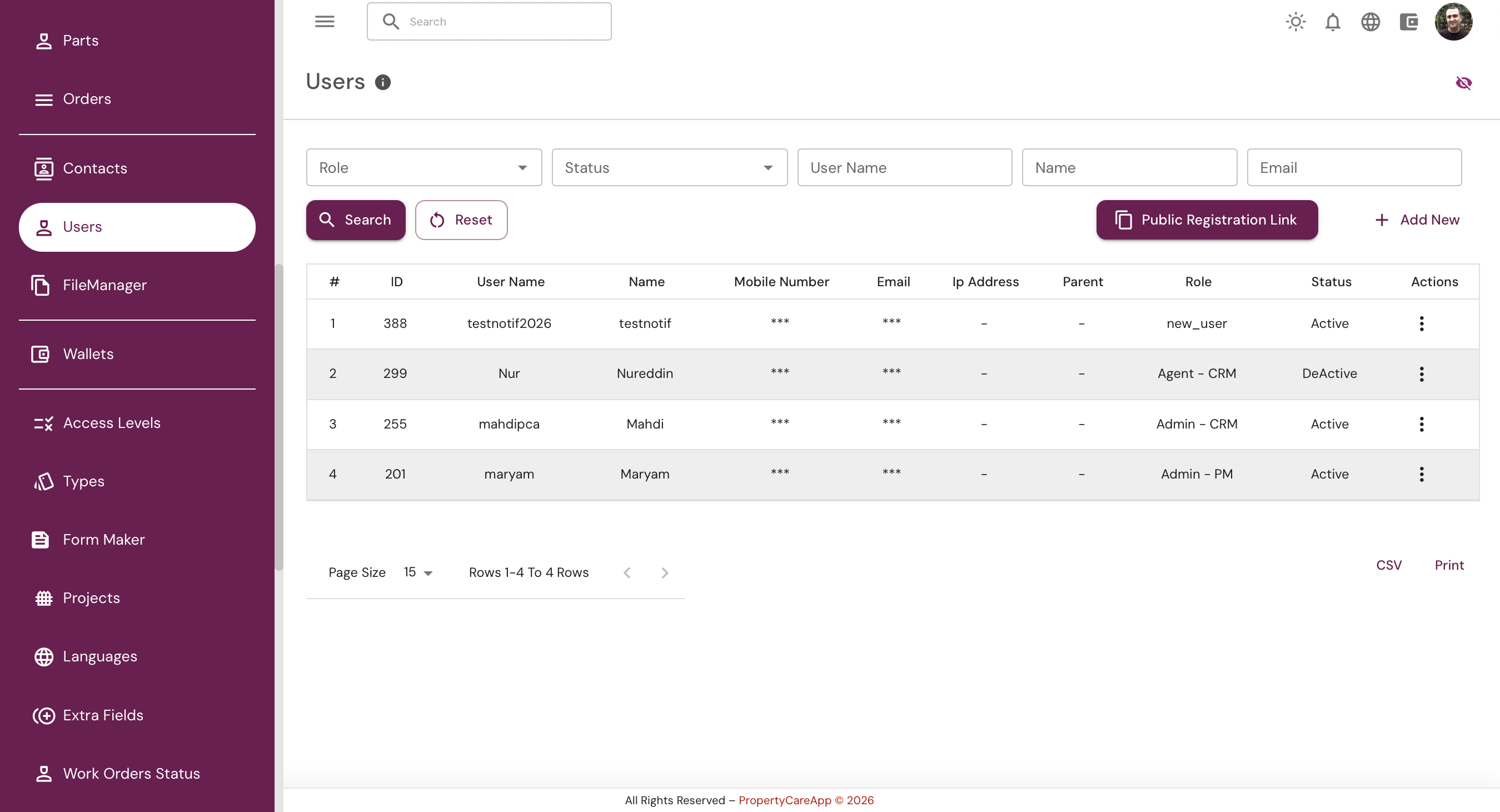
We’re excited to introduce a new privacy feature designed to help you protect sensitive user information on your dashboard.
From now on, on pages where user details such as phone numbers or email addresses are displayed in list view, you will notice a new eye icon next to these fields. By clicking this icon, you can instantly hide the information and replace it with three asterisks (*****), ensuring that sensitive data is not visible to others around you or in screenshots.
If you need to view the hidden information, simply hover your mouse over the masked phone number or email address, and it will temporarily become visible.
To disable this feature and return to the normal display, just click the eye icon again.
This enhancement is designed to give you more control over your privacy, especially in shared environments or when capturing your screen.